How it works · technology
How AI virtual try-on actually works.
Virtual try-on stopped being science fiction about three years ago, but most people still don't know what's happening under the hood. Here's an honest read on the pipeline — what the model sees, what it doesn't, and what your photos are doing while you wait.

The inputs
Three reference images.
- Face reference
- One photo of your face in even light. The model uses this to preserve your identity — features, skin tone, hair, proportions. This is the most important input.
- Body reference
- One full-body photo. The model uses this to match your build, posture, and proportions. Without it, the output defaults to a generic body type.
- Product image
- The retailer's canonical photo of the piece. Pulled from the URL you pasted. The model maps the garment's color, fabric texture, drape, and silhouette onto your body.
The model
Diffusion + identity preservation.
What it doesn't do
We never train on you.
- Not training data
- Your face and body photos are not used to improve any model — ours or the underlying provider's. The provider's terms also prohibit reference-image training.
- Not shared
- Retailers don't see your photos. Affiliate networks don't see your photos. No external system gets access to your reference images.
- Yours to delete
- Account settings has a delete button that removes your reference photos and all renders. We don't retain anything for marketing purposes.
Honest limits
Things it can't tell you.
Real renders, real people
The same engine. Their wardrobe.
Every tile below is an actual Styl10 user wearing actual clothes from actual retailers. No stock photography. No model bait-and-switch.
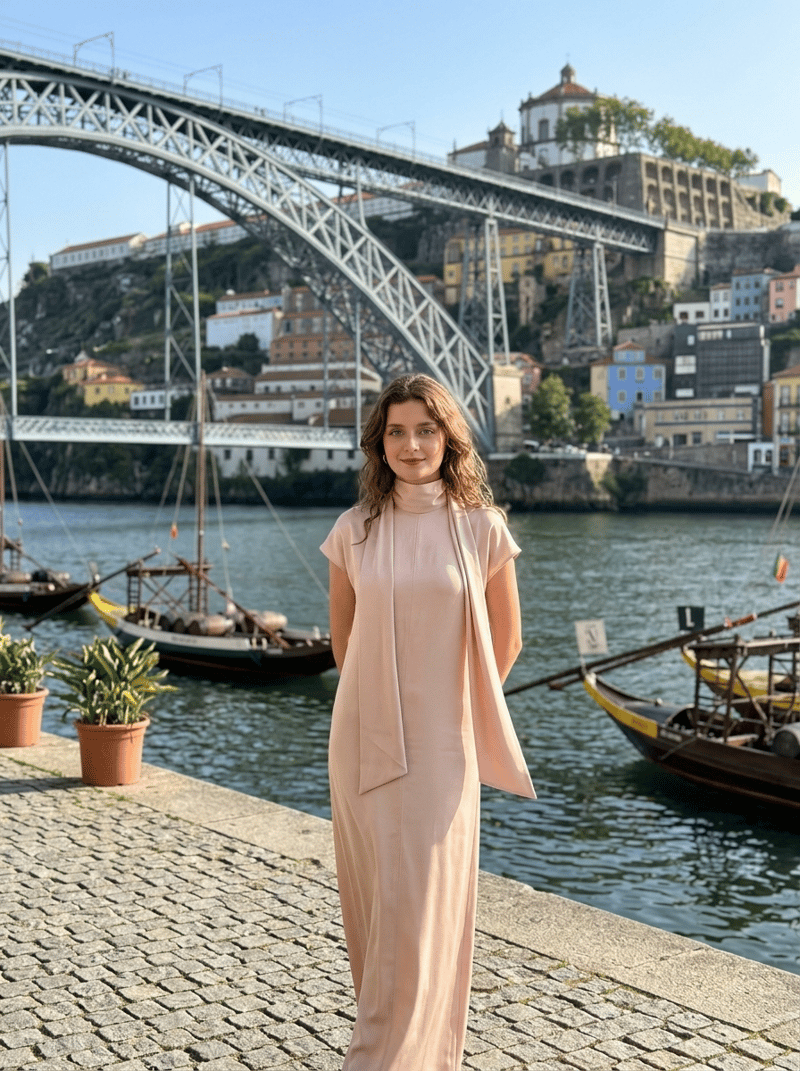 From Www2
Maxikleid mit Schaldetail - Puderrosa - Ladies | H&M DE
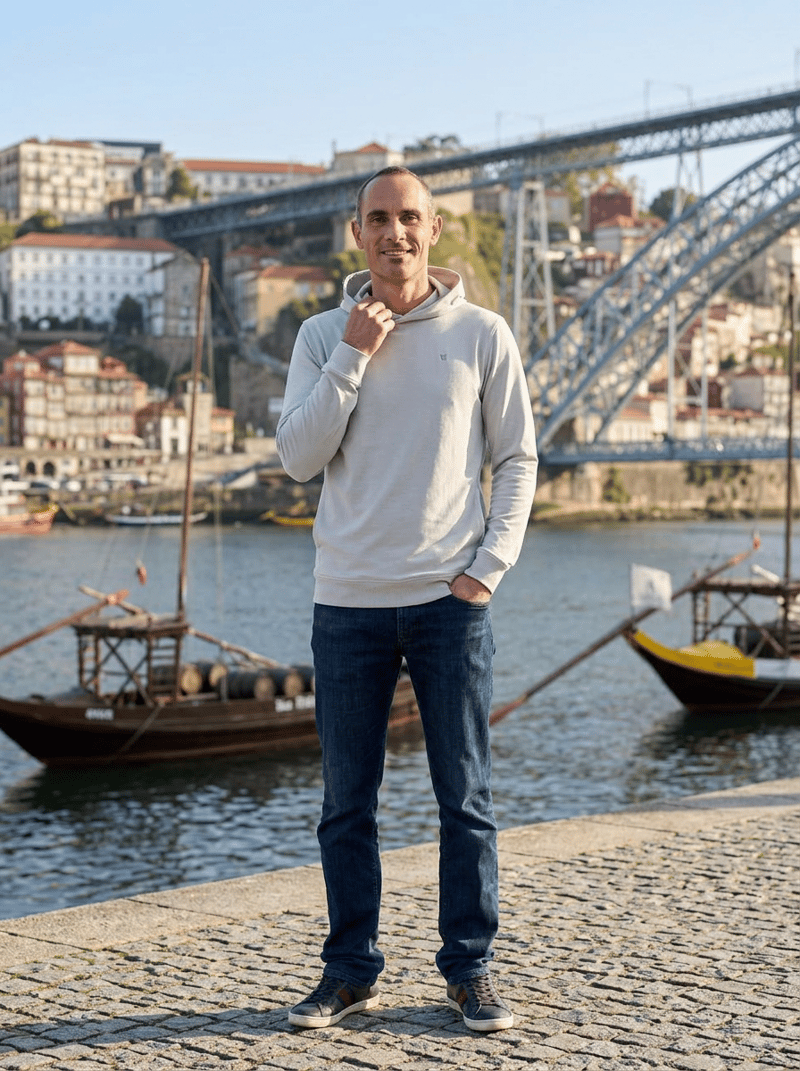 From Vuori
Ponto Pullover Hoodie
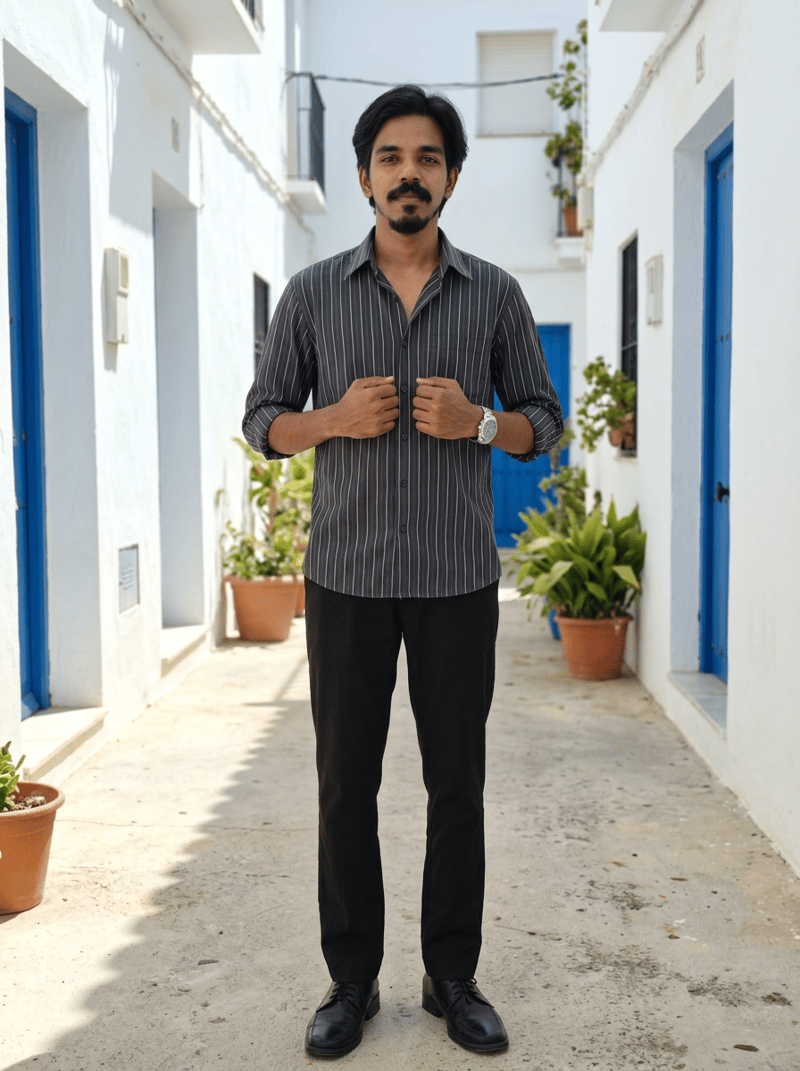 From Pinterest
Pokee Shirt for boys
Questions people ask
Before you try it.
- How long does one render take?
- Under a minute end to end, on average. The model itself takes 30-60 seconds. Add a few seconds for extraction and the persist-to-storage step. We've optimized the user-perceived latency by surfacing a 'composing your look' placeholder while the render runs.
- Why does the face need to match exactly?
- Because the alternative is uncanny. A render with a slightly-off face reads as 'this isn't me' and you don't trust the rest of the image. Identity preservation is the difference between virtual try-on as a usable tool and virtual try-on as a novelty.
- Can I see two pieces layered together?
- Yes — the compose pipeline takes multiple product images and renders them layered on you. Currently shipping inside Outfit of the Day (Pro feature). Per-piece compose is on the roadmap.
- What model do you use and can it change?
- Today: nano-banana-2 as primary, qwen-image-2-edit as fallback. We wrap the underlying model behind a vendor-agnostic interface so we can swap as better models ship. Quality has been improving roughly 2x per year — the model running this page may not be the one running it in 6 months.
Two photos. One minute.
See yourself in it first.
Three free try-ons to start. Upload your face and body photos once. Paste any retailer URL. Decide with your eyes, not your imagination.
We never train on your photos. Delete anytime.